
 All vikis
Family Savings Goals
Grand Theft Auto 6's Family Savings account has six goals, from Buckin' Broke at $5,000 to a final tier at $2,000,000, and each one raises how much the BuckMe Checking account can hold, from $15,000 to $2,000,000, with perks of 20% off RydeMe rides at $10,000, 20% off garages at $100,000 and 10% off liveries at $500,000. Every goal with its limit and perk as PowerPyx and GTABase list them on Nov 21, 2026, what each one is worth in dollars, and the order to reach them.
Grand Theft Auto 6's Family Savings account has six goals, $5,000, $10,000, $100,000, $500,000, $1,000,000 and $2,000,000, and reaching each one raises the most your BuckMe Checking account can hold, from $15,000 at the first goal to $2,000,000 from the fourth, with a perk at three of them: 20% off RydeMe rides at $10,000, 20% off garage purchases at $100,000 and 10% off liveries at $500,000 (PowerPyx, Nov 18, 2026, read Nov 21). The fourth goal, BuckMe Premium, is given to you at the start of Chapter 4 whatever you have saved, so the goals you must pay for are the $100,000 one for its garage discount and the last two, which PowerPyx and GTABase both list with no perk known yet.
Next: how many hours of robbing each goal takes, the eight garages the 20% discount applies to or why Family Savings is the one money you keep through Chapter 1.
Every goal, its limit and its perk
The goals belong to "Save for the Future", a quest the BuckMe app gives once the story mission Buck Me has opened your bank account. It has no map marker: it sits in the quest list behind the storybook icon on the map screen, and you add to it from anywhere by moving money from Checking into Family Savings in the app. Each goal opens only after more of the story, so you cannot fill all six in Chapter 2.
| Goal | Family Savings needed | Checking can hold | Perk |
|---|---|---|---|
| Buckin' Broke | $5,000 | $15,000 | None |
| BuckeDry | $10,000 | $100,000 | 20% off all RydeMe journeys |
| BuckMe Gold | $100,000 | $500,000 | 20% off all garage purchases |
| BuckMe Premium | $500,000, or the start of Chapter 4 | $2,000,000 | 10% off all liveries |
| Rich as Buck | $1,000,000 | $2,000,000 | None |
| Final goal | $2,000,000 | Not yet listed | Not yet listed |
PowerPyx and GTABase (read Nov 21, 2026) give the same names, sums, limits and perks, and both mark the last goal's limit and perk as unknown; the two guides often share their findings, so read them as one account of the game rather than two. EKW the gamer's video reads out the first five the same way, from Buckin' Broke at $5,000 to Rich as Buck at $1,000,000 with no perk, and says no one has confirmed what sits above it. The phone message for the fourth goal calls it "BuckMe Black", while the app says BuckMe Premium, PowerPyx notes. Reaching the $2,000,000 goal finishes the quest. The quest's own description promises "higher interest payments" at each level, and neither guide gives a rate.
What the goals are worth
Our sums, from the guides' figures:
- BuckeDry ($10,000): cheap, and the RydeMe discount applies to every ride after it, so it is the first goal worth paying for on purpose.
- BuckMe Gold ($100,000): all eight garages in the Vice City Real Estate app cost $160,000 together (Garage Locations and Prices), so 20% off saves $32,000 on the full set. Money in Family Savings cannot be moved back to Checking: the BuckMe app warns before each transfer that "You will not be able to withdraw once transferred", as LARPonomics's and EKW the gamer's videos show. So the discount pays back about a third of what you put away, so it is worth it only if you were going to save that much anyway, or buy the big garages.
- BuckMe Premium: paying $500,000 in early buys a $2,000,000 Checking limit a little sooner, since Chapter 4 hands it over for nothing. We would not pay for it.
- Rich as Buck and the final goal: $3,000,000 between them for no listed reward beyond finishing the quest. At PowerPyx's endgame rate of $100,000 to $200,000 every five minutes from bank vaults (Best Banks to Rob), the $2,000,000 goal is 10 to 20 vault runs, or 50 to 100 minutes of robbing, on top of what you spend.
One challenge depends on these limits: Nest Egg asks you to bank $1,500,000 in BuckMe Checking (Challenges), which no account can hold until its limit reaches $2,000,000, so it waits for Chapter 4 or the $500,000 goal.
When the account is full
Until a goal lifts the limit, BuckMe Checking stops taking money; LARPonomics's video shows new pay waiting as pending, and TGG's stream reading the phone's message when a goal raised the limit to 100K. Rockstar's support site, as of Nov 19, 2026, answers this with no patch: the limits rise as the main story goes on, and payments held up by a full Checking account go through after the upgrade (Known Issues). Money in Family Savings is also the money the story lets you keep when the Chapter 1 mission Tourist Trap takes your pocket cash (Missables), and in Chapter 1 the only open goal is the first, $5,000, so that is the sum to put away before it.
The order to reach them
- Put $5,000 into Family Savings before starting Tourist Trap in Chapter 1.
- Reach $10,000 as soon as the goal opens, for the RydeMe discount.
- Hold off on $100,000 until you plan to buy several garages, then buy them after it.
- Let Chapter 4 give you BuckMe Premium.
- After that the Checking limit is $2,000,000, so fill the last two goals only when you want the quest done.
Sources
- GTA 6 Save for the Future Walkthrough, PowerPyx, Nov 18, 2026 (the six goals, limits, perks, the Chapter 4 upgrade, the quest's description; read Nov 21, 2026)
- Save for the Future, GTABase (the same six goals; read Nov 21, 2026)
- GTA 6 Money Guide, PowerPyx, Nov 18, 2026 (bank vaults "around $100,000 – $200,000 every 5 minutes" after the story; read Nov 21, 2026)
- GTA 6 All Challenges Guide, PowerPyx, Nov 18, 2026 (Nest Egg; read Nov 21, 2026)
Moments
GTA 6 Family Savings Explained: What It Does, All 5 Goals & Can You Withdraw?
EKW the gamer
GTA 6 Takes ALL Your Money After Chapter 1 (Except ONE Account)
LARPonomics
Related
-
-
-
-
-
-
 Easter EggsGrand Theft Auto 6's Bigfoot, the Skunk Ape, eats a deer on a swamp road south of Hamlet in the Grassrivers, and its UFO lands after 2 a.m. in the woods off a road northwest of the Starlet Motel in Kelly County. Where each one is, what sets it off, the Skunk Ape hunt and the alien rescue that follow, and the other eggs two outlets have both found, as of Nov 20, 2026.
-
-
See also
-
-
-
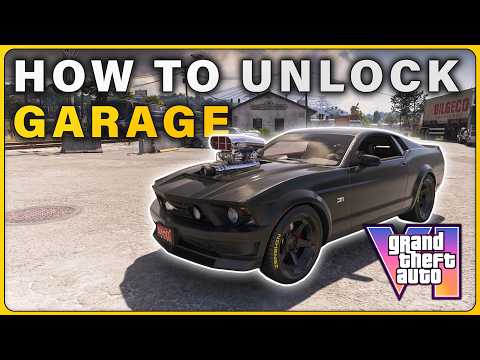 Garage Locations and PricesGrand Theft Auto 6 sells eight garages in the Vice City Real Estate app, from Mitchell Auto Center at $4,000 to Atlantic Court Garage at $40,000, $160,000 for all eight, one car each; four more come free with the story and three with editions or GTA+. Every garage with its price, place, spaces and unlock, as PowerPyx and GTABase list them on Nov 20, 2026.
-
-
-