
 All vikis
Game Sharing
One purchase of Grand Theft Auto 6 can be played on two consoles. The PlayStation Store's listing says the game plays on the PS5 set for Console Sharing and Offline Play and on any PS5 its buyer signs in to, and on Xbox a home Xbox gives everyone on that console the owner's games. One console at a time on each platform, five home Xbox switches a year, and the free GTA+ month does not share.
Yes: one purchase of Grand Theft Auto 6 covers two consoles on either platform. The PlayStation Store's own listing for the game says "You can download and play this content on the main PS5 console associated with your account (through the 'Console Sharing and Offline Play' setting) and on any other PS5 consoles when you login with your same account" (PlayStation Store, read Nov 13, 2026), and on Xbox the setting is the home Xbox, which "gives friends and family access to your games and content when you're not signed in" (Xbox Support, read the same day). Rockstar has published no sharing rule of its own.
Next: both consoles still have to download their own 212 GB, what a single $79.99 or $99.99 purchase contains or why no subscription gets a second player in instead.
It is the only kind of lending this game allows
Earlier Grand Theft Auto games could be handed to a friend as a disc. This one cannot: the boxed copy holds "a download code that can be used for the digital download of the game. A disc will not be included in the box", in the words of Rockstar's support page. Every copy, boxed or not, ends up as a license on one PlayStation or Microsoft account, so the consoles' sharing settings are the whole of what a second player can use. Split between two households, the Standard Edition comes to $40.00 each and the Ultimate to $50.00, our division of the US prices.
On PlayStation 5
The setting is at Settings, Users and Accounts, Other, Console Sharing and Offline Play. With it on, Sony's page says, anyone who uses that PS5 can "play games and media you've purchased and downloaded" and "play your games and media even when the console is offline" (PlayStation Support, read Nov 13, 2026). Three limits from the same page shape the plan:
- "You can turn on Console Sharing and Offline Play on one PS5 console at a time", so one purchase reaches the buyer's own sign-in plus one shared console, not a circle of friends.
- It "is automatically allowed on the PS5 console you've used to sign in to PlayStation for the first time", so the buyer's own console usually holds it already and has to give it up before another can take it.
- A console the buyer can no longer reach is released only by deactivating every device from Account Management, and "you can only remotely deactivate all devices every 6 months".
The offline promise belongs to the shared console alone. We read that as leaving the buyer, playing on any other PS5 by signing in, dependent on an internet connection to prove the license, a point worth knowing for a game the store marks "Offline play enabled".
On Xbox Series X and S
Microsoft's page states the rule in two sentences: making a console the home Xbox shares the owner's games with everyone on it, and "your home XBOX also lets you play your digital games offline". The owner then plays on a second console by signing in. Its limits:
- "You can only have one home XBOX at a time."
- "You can switch your home XBOX up to five times in any one-year period. Customer support can't offer additional switches."
- A new account added to a console becomes that console's home Xbox automatically unless the setup is told to lock it down, so check which console holds it before counting on the other.
An Xbox One cannot be the second console in the usual sense, because the game does not install on one; what it gets instead is on Xbox One.
What does not come along
The month of GTA+ that comes with a digital pre-order is tied to the account that bought it. The PlayStation Store's listing says the offer "can only be claimed once-per-account, regardless of additional purchases", and the Microsoft Store's wording, as Xbox Wire reprints it, is "Limited to one redemption per Platform Account". Neither store's page says in words whether the Vintage Vice City Pack or the Ultimate Edition's extras appear for the second player, and nobody can test it before Nov 19. The listing also notes that some features "may require internet connection, Rockstar Games account registration", which each player would do under their own name.
We think both players will be able to play at the same moment on launch night, the buyer signed in on one console and the second player on the console holding the sharing setting.
Confidence: Likely. Check by: Nov 20, 2026.
Why we think so: the PlayStation listing grants play on the main console "and on any other PS5 consoles when you login with your same account", with no clause forbidding both at once; the game is single player, so no online session exists in which two copies of one license could collide; and neither platform's page carves out an exception for this game. What would prove us wrong: a license error on one console while the other is running the game.
Doctor Glitch's PS5 game-sharing tutorial of May 23, 2024 describes that arrangement for PS5 games in general: with Console Sharing turned on for the friend's console, "you can use your account and your friend can use his account to play the same game at the same time on both your consoles". The video predates Grand Theft Auto 6, so it shows how the setting has worked, not that this game follows it.
Sources
- Grand Theft Auto VI, PlayStation Store (sharing note, offline play, GTA+ terms, read Nov 13, 2026)
- How to turn on PS5 Console Sharing and Offline Play, PlayStation Support (read Nov 13, 2026)
- Home Xbox, Xbox Support (read Nov 13, 2026)
- Grand Theft Auto VI Platforms, Editions, and Versions, Rockstar Games Customer Support, last updated Nov 4, 2026 (read Nov 13, 2026)
- "Grand Theft Auto VI Comes to Xbox One and Xbox Series X|S Through Xbox Cloud Gaming on November 19", Xbox Wire, Nov 10, 2026 (the Microsoft Store's GTA+ terms, read Nov 13, 2026)
- How to GameShare on PS5 - OverSimplified (2026), Doctor Glitch, May 23, 2024 (video)
Moments
How to GameShare on PS5 - OverSimplified (2026)
Doctor Glitch
Related
-
-
-
 Download SizeGrand Theft Auto 6 needs up to 212 GB of free space on PlayStation 5 and Xbox Series X and S, Rockstar said on Nov 3, 2026. At a steady 100 Mbps that is about 4 hours 43 minutes of downloading, at 25 Mbps almost 19 hours, and it takes 41% of a 512 GB drive. Our worked download times by connection speed, the share of each drive size, and why the 210 and 225 GB figures in circulation differ from Rockstar's.
-
 GTA OnlineGrand Theft Auto 6 has no online mode at launch: Rockstar sells it as "a single-player experience" on Nov 19, 2026, and as of Oct 10, 2026 it has announced no GTA 6 online or multiplayer mode and no date for one. GTA Online, the online game of Grand Theft Auto V, carries on, and Take-Two says it will keep supporting it after GTA 6 comes out.
-
 GTA+ Free MonthA digital copy of Grand Theft Auto 6 bought before Nov 20, 2026 includes one month of GTA+, which must be claimed by Mar 31, 2027 on PlayStation or within 180 days of the purchase on Xbox, and which renews at $7.99 a month until canceled. It is a Grand Theft Auto Online membership and adds nothing to Grand Theft Auto 6 itself. Where to claim it, the Xbox deadline worked out per purchase date, and how to cancel on each console.
-
 How Long Reviewers Took to Beat GTA 6The reviewers who timed it took 80 to 90 hours to reach the end of Grand Theft Auto 6's story (PlayStation Universe 80, Wccftech 90) and IGN's 115 with most of the side activities; Skill Up puts a typical playthrough at 50 to 60 hours. Ten reviewers' hours side by side from the Nov 18, 2026 reviews, a median of 95 hours played, and what it means for your own first run.
-
-
 Is GTA 6 the Highest Rated Game EverOn Metacritic, yes, jointly: Grand Theft Auto 6's 99 on Nov 18, 2026 ties The Legend of Zelda: Ocarina of Time's 99 for the highest Metascore of any game, and Metacritic's all-time list puts it first. It rests on 135 critics at 3:40 p.m. Dubai against Ocarina's 22, which no other 99 or 98 comes close to. The top 15, the review counts, and how long we think the 99 holds.
See also
-
-
Pre-loadPre-loading of Grand Theft Auto 6 has been open since Nov 10, 2026 for every digital pre-order. On PlayStation 5 it starts from the game's countdown timer in Game Library, on Xbox Series X and S from My games & apps, and both need up to 212 GB free; a boxed copy pre-loads as soon as its code is redeemed, and the game still unlocks only at midnight local time on Nov 19.
-
-
-
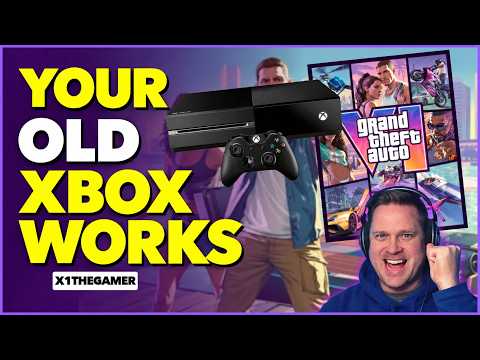 Xbox OneGrand Theft Auto 6 plays on an Xbox One only as a stream through Xbox Cloud Gaming, from 1 a.m. Eastern (06:00 UTC) on Nov 19, 2026, at Xbox Series S graphics settings. The game must still be bought, there is nothing to install, and streaming time is metered since November 2026. How many hours after your own midnight the stream opens, and what 50 or 100 hours of it cost.
-